Before we can use RYLR998 lora module, we need to setup some settings to make it works. In order to do so we need to connect our RYLR998 module to our computer via serial translator FTDI232. As a reminder, RYLR998 lora module run on 3 volt. So make sure you set your FTDI232 to 3 volt instead of 5 volt (default), otherwise you would damage the lora module.

As you can see on above picture, make sure you connect RYLR998 TXD pin to FTDI232 RX pin. Then connect RYLR998 RX pin to FTDI232 TXD pin. Don’t forget to connect RYLR998 GND to GND on FTDI232 and RYLR998 VDD pin to FTDI232 VCC. Plug in your FTDI232 into your computer.
Now open your arduino IDE. Click Tools, Port then select the COM port available. There is a Select Board drop down menu, select the COM port.
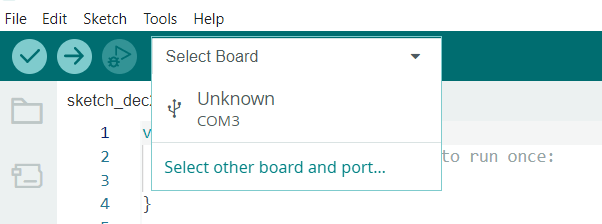
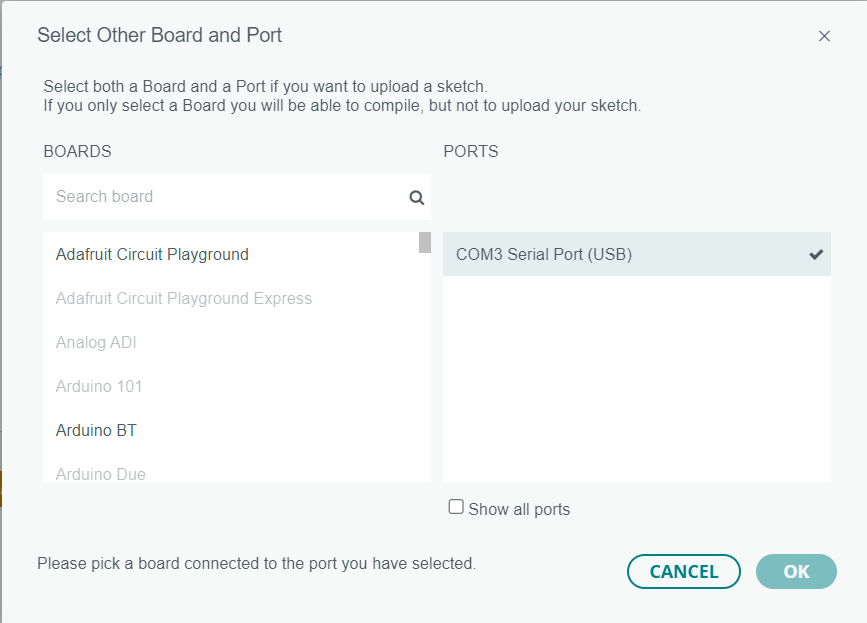
Select any board example Adafruit Circuit Playground. Then Click OK.
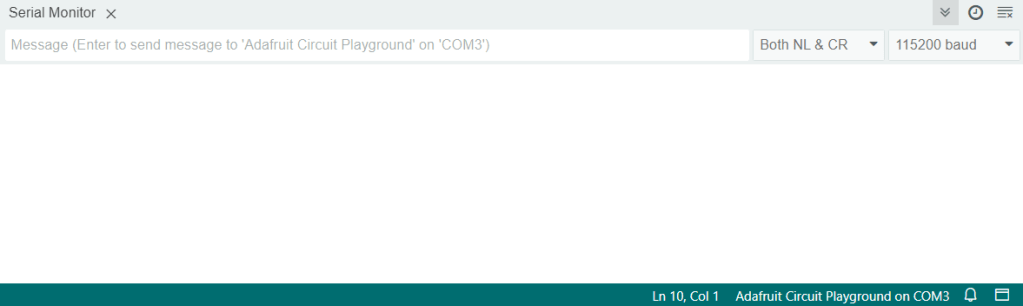
Next is to click Tool then Serial Monitor. You will get another sub window with input text box parameters. Inside this text box parameters we can run the AT COMMANDs. If you look on the top right Serial Monitor, you can see 2 drop down list. By default the RYLR998 module is on 115200 baud rate. The second drop down list from the right is a setup on how the serial message is about to be parsed. By default every message is ended with New Line and Carriage Return.
To check if the lora module is working, on the textbox parameters type AT followed by ENTER. The proper response supposes to be +OK.

Now to check the current firmware on our reyax is by typing : AT+VER?

To make sure each RYLR998 modules are able to communicate each other, they must be on the same network id and having unique address.
To setup a new NETWORKID, type AT+NETWORKID=12, followed by ENTER.

To check if the newly setup is saved, type AT+NETWORKID? followed by ENTER.

To setup a new ADDRESS, type AT+ADDRESS=16, followed by ENTER. In order two lora modules able to interact, both module must be on the same NETWORKID and having different ADDRESS.

To check if the new ADDRESS has been saved, type AT+ADDRESS? followed by ENTER.

For security reason we must make sure both ends are secured. So both must have same password in order to understand each other. On Serial Monitor text box parameter type AT+CPIN=AC14497F (replace with your own 8 hex numbers).

To check if the new PASSWORD has been saved, type AT+CPIN?

If you want to change baud rate, type AT+IPR=baud rate.

To see if the change has taken place then type : AT+IPR=?
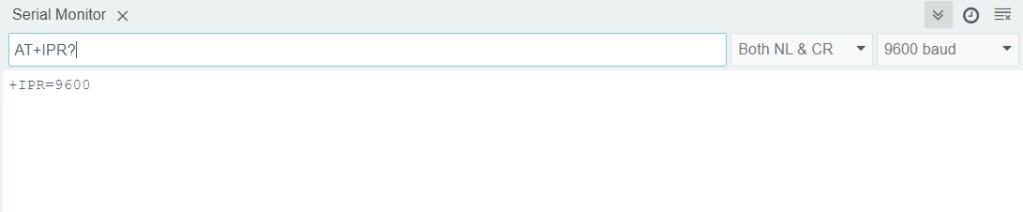
We setup another Reyax with the same parameters except the address is 17. This Reyax will be used on Raspberry Pi 4 which is be used as a gateway. Now it is time to setup this Reyax on our Raspberry Pi 4 next article.
 John Hadikusumo